Bloodstain Pattern Classification
- Length long axis
- –
- Width short axis
- –
- Impact angle
- –
Area of Origin Calculation
This is the wall seen from the side. Draw a string from each stain at the angle it hit, and you get H, the distance to where the blood came from. (H = D × tan impact angle)
Case Report
Add analysis records
The report for this area is complete. Go to End Training to wrap up.
Training complete
Why Apple Vision Pro?
Here’s how it looks in the real app.
-
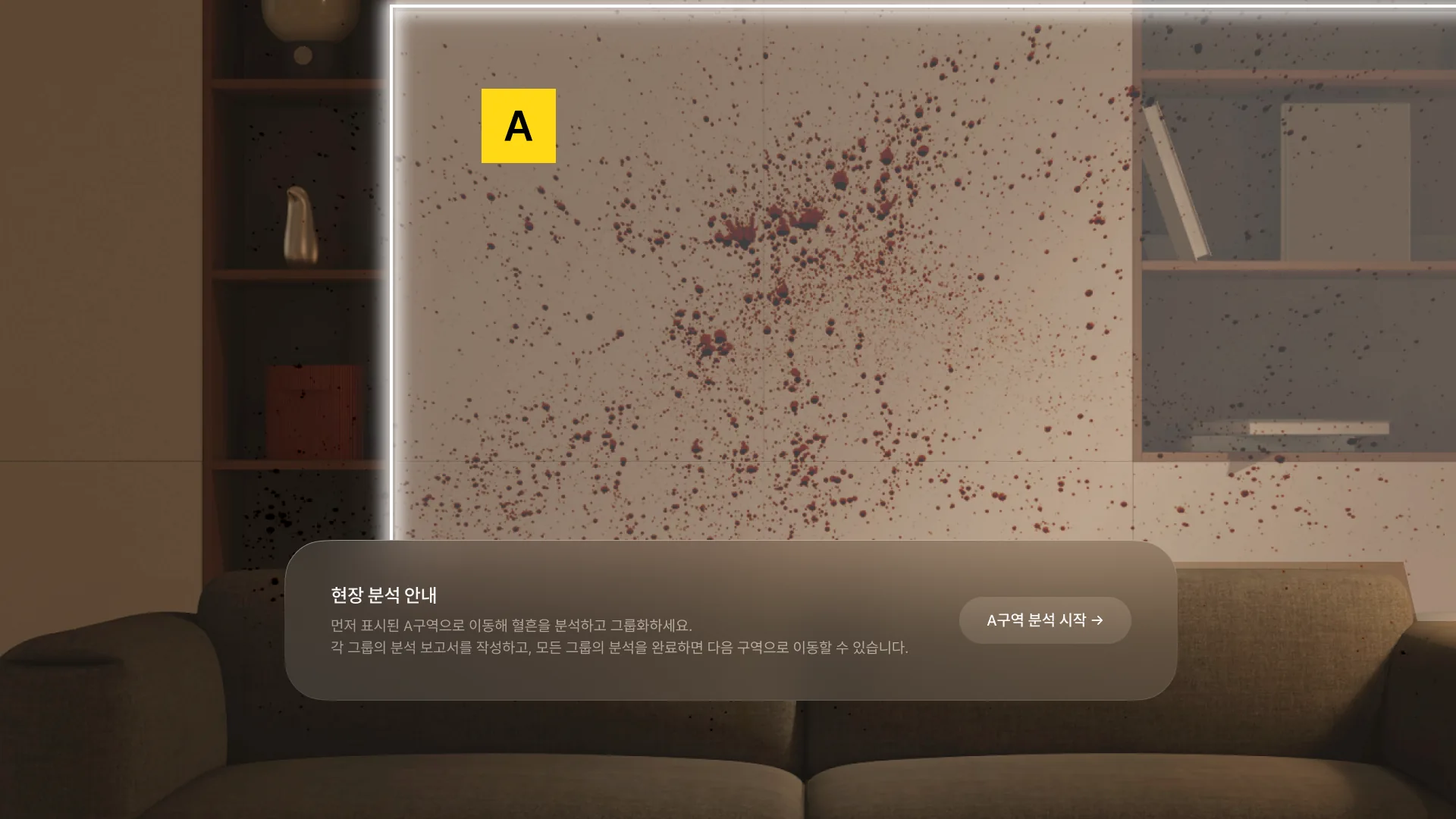
Real app 01Step inside a life-size scene
Instead of turning a photo, walk around the room
-
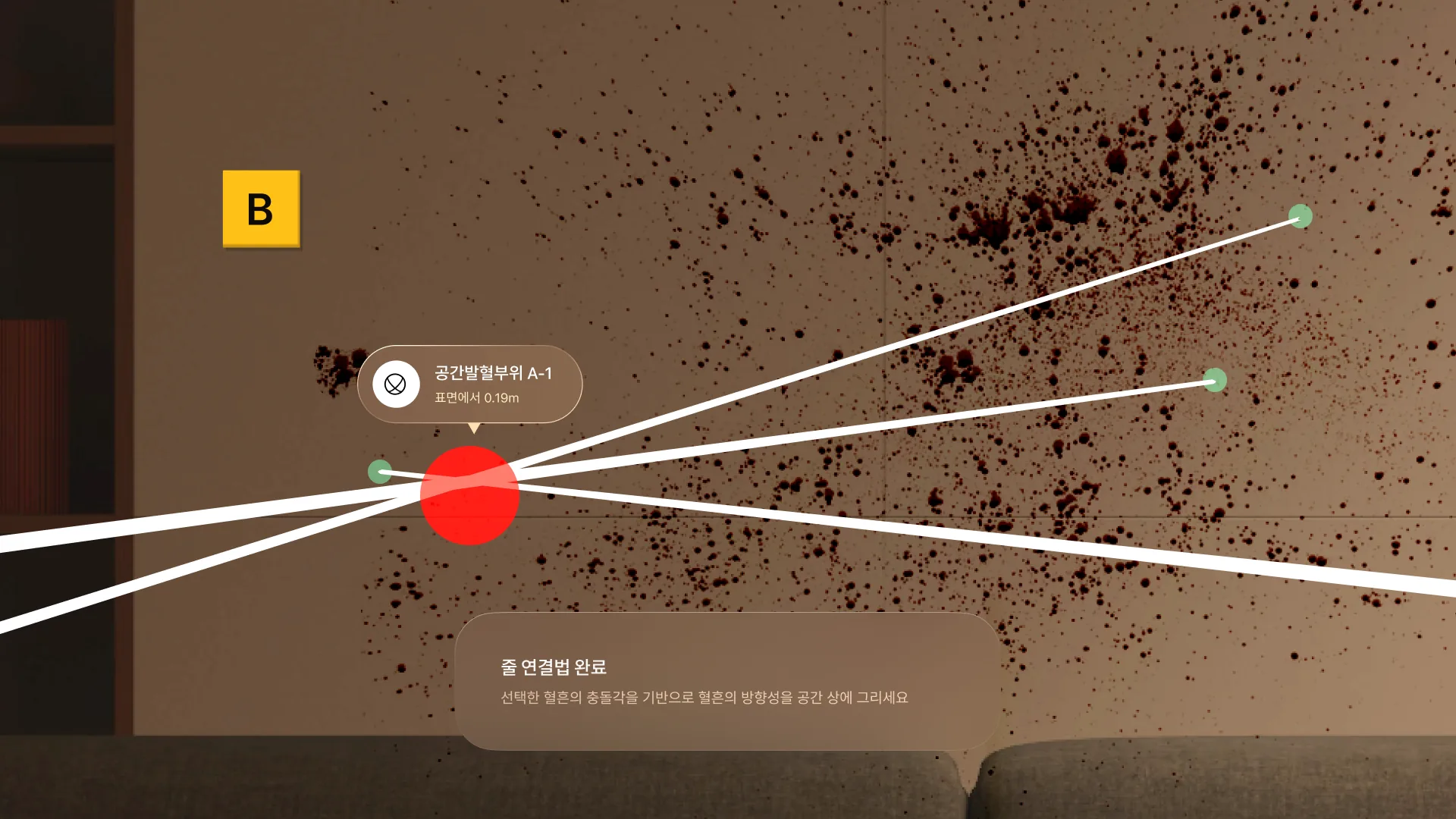
Real app 02See where the blood came from
Instead of numbers, see the point floating in the air
-
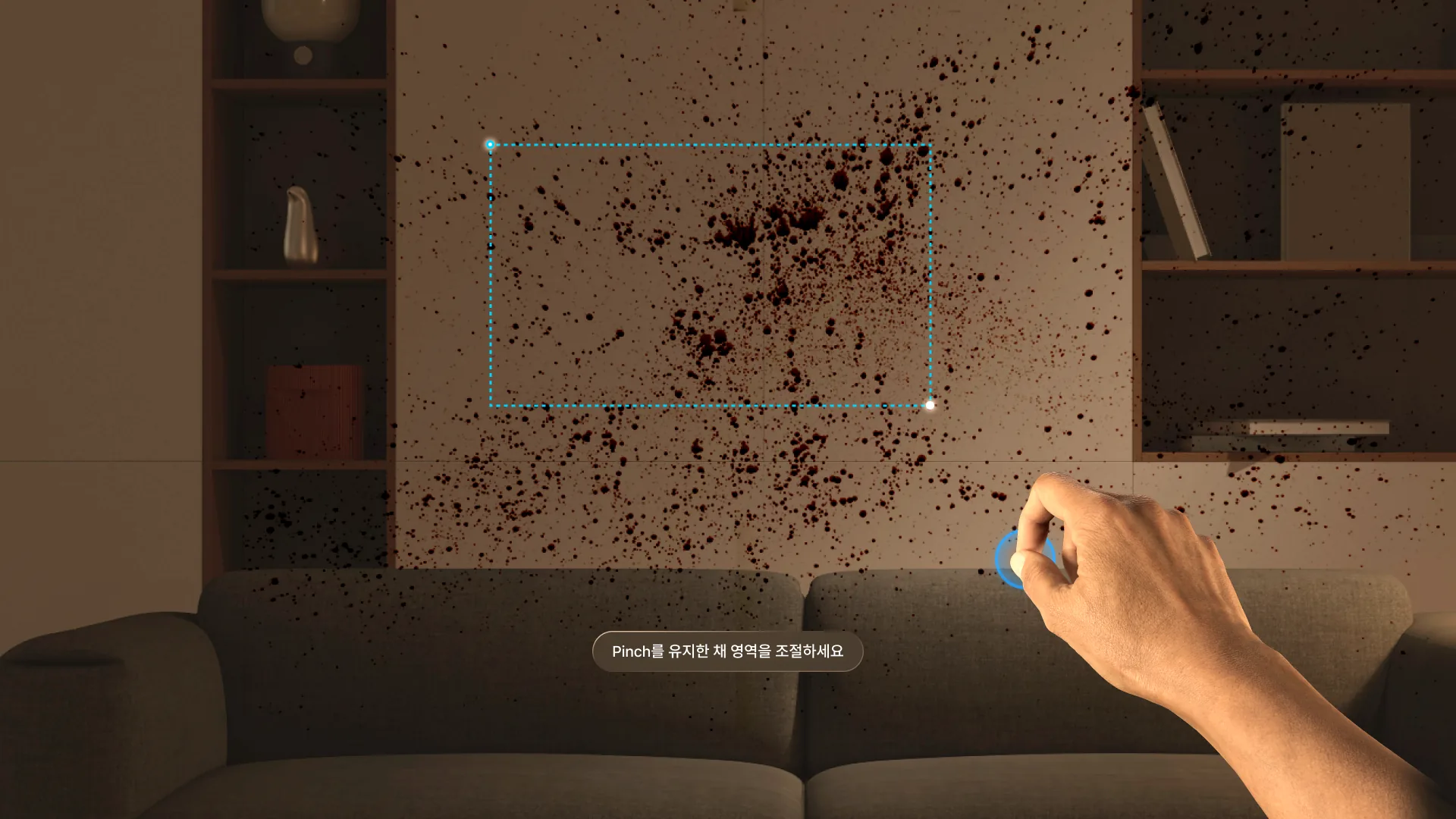
Real app 03Work with your bare hands
Instead of a mouse, box the stains with a pinch
We’re building BPA 360 as an Apple Vision Pro app.
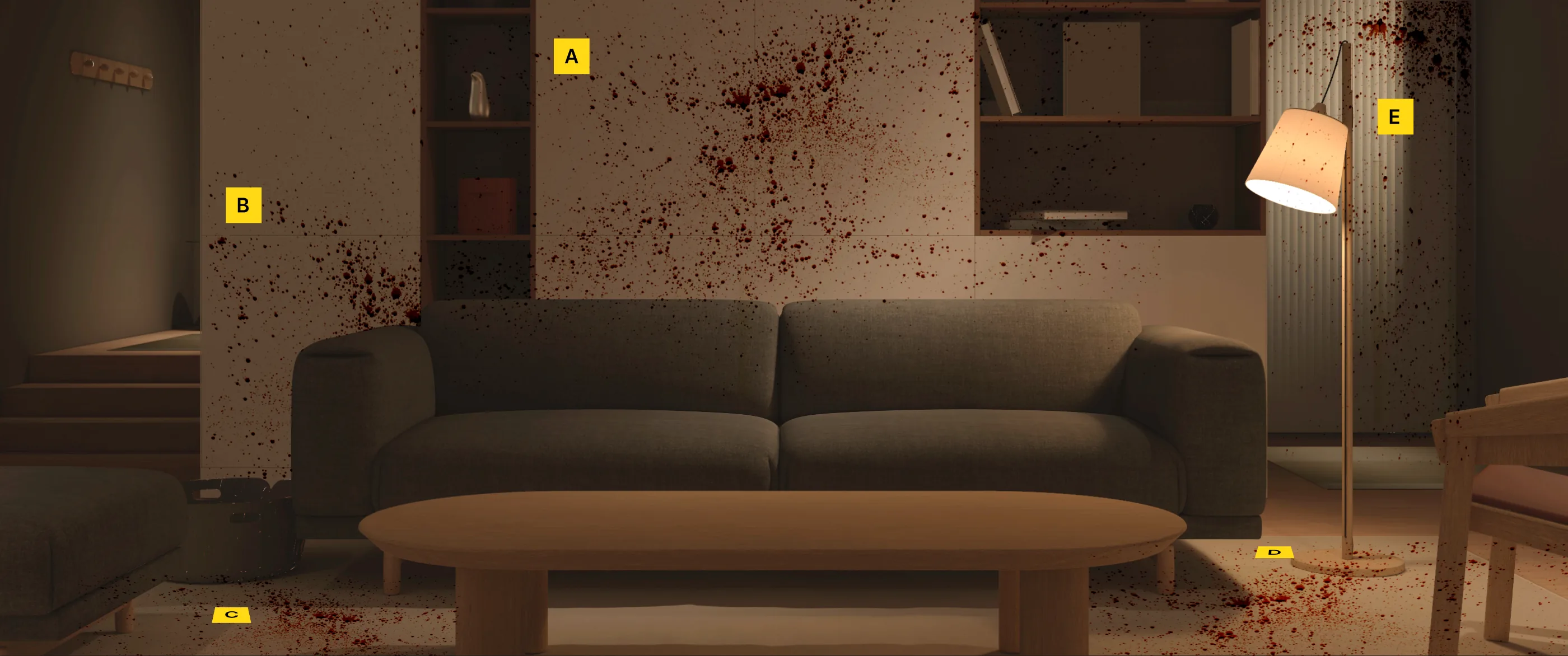
Crime Scene · Living Room
Analyze this scene yourself, just like on Apple Vision Pro. Follow the guide at each step.
- LookHover with the mousePoint with your hand
- PinchClickTouch thumb to index finger
- Pinch and dragHold the button and moveHold the pinch and move
Your webcam tracks your hand. Please allow camera access.
Scene Analysis Guide